





Summary of this article
Income tax e-filing password can be reset without registered mobile access
DSC and net banking offer alternative identity-verification routes
Email reset requests require PAN, identity, address proof, and signed letter
Taxpayers should update mobile, email, and security settings after recovery
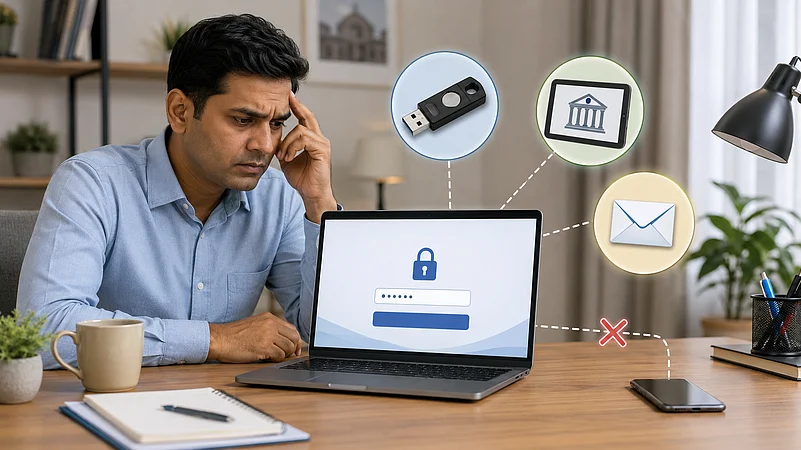
Forgetting the password to the Income Tax Department’s (ITD) e-filing portal can cause trouble during the return-filing season. The situation becomes more difficult when the taxpayer no longer has access to the mobile number registered on the portal or linked with Aadhaar.
However, the account can still be recovered through other identity-verification methods. Depending on the security settings enabled for the account, taxpayers may be able to use a Digital Signature Certificate, net banking, or an email-based request.
How To Reset The Password Using DSC Or Net Banking
A taxpayer with a valid Digital Signature Certificate, or DSC, can use it to reset the password. The certificate must be active and linked to the taxpayer’s PAN. Even a DSC that was not registered earlier on the portal may be used, provided it is successfully validated.

1 October 2026
Get the latest issue of Outlook Money

The taxpayer will need the DSC token and the required signing utility installed on the computer. After entering the user ID on the e-filing login page, the taxpayer must select “Forgot Password”, choose the DSC option and complete the verification process, according to a recent report by The Economic Times.
Net banking offers another route. The taxpayer should have an active net banking account with a recognised bank, and the PAN must be linked to that bank account. After selecting net banking, the user is redirected to the bank’s website. Once authenticated, the taxpayer can access the e-filing dashboard and change the password from the profile section.
The reset options displayed on the portal may vary based on the higher-security settings chosen for the account.
What If DSC And Net Banking Are Not Available?
If neither option works, the taxpayer may send a password-reset request to efilingwebmanager@incometax.gov.in. The request must be sent from the email address registered in the taxpayer’s e-filing profile.
The email should include a scanned copy of the PAN card, self-attested identity proof and self-attested address proof. Documents such as Aadhaar, passport, voter identity card, driving licence or a bank passbook with a photograph may be used.
A signed letter explaining the reason for seeking a password reset should also be attached. All documents must be combined in ZIP format. Requests sent in another format may not be processed. After the documents are verified, a reset link may be sent to the email address from which the request was received.
How To Begin The Reset Process
Go to the e-filing portal and select “Login.” Enter the user ID and continue. On the password page, select “Forgot Password”, enter the user ID again and choose one of the available verification methods.
After regaining access, taxpayers should update their mobile number, email address and security preferences. Keeping these details current can help avoid delays while filing returns, responding to notices or checking refunds.
FAQs
1. Can I reset my e-filing password without access to my registered mobile number?
Yes. You may use a valid Digital Signature Certificate, net banking linked to your PAN, or an email-based verification request.
2. What documents are required for an email-based password reset?
You may need a scanned PAN card, self-attested identity and address proof, and a signed letter explaining the reset request, combined in ZIP format.
3. What should I do after recovering my e-filing account?
Update your registered mobile number, email address, and security settings to avoid difficulties while filing returns or checking refunds.